WordPress plugin for Voxel directory sites
Instagram and Facebook metrics for every listing in your directory.
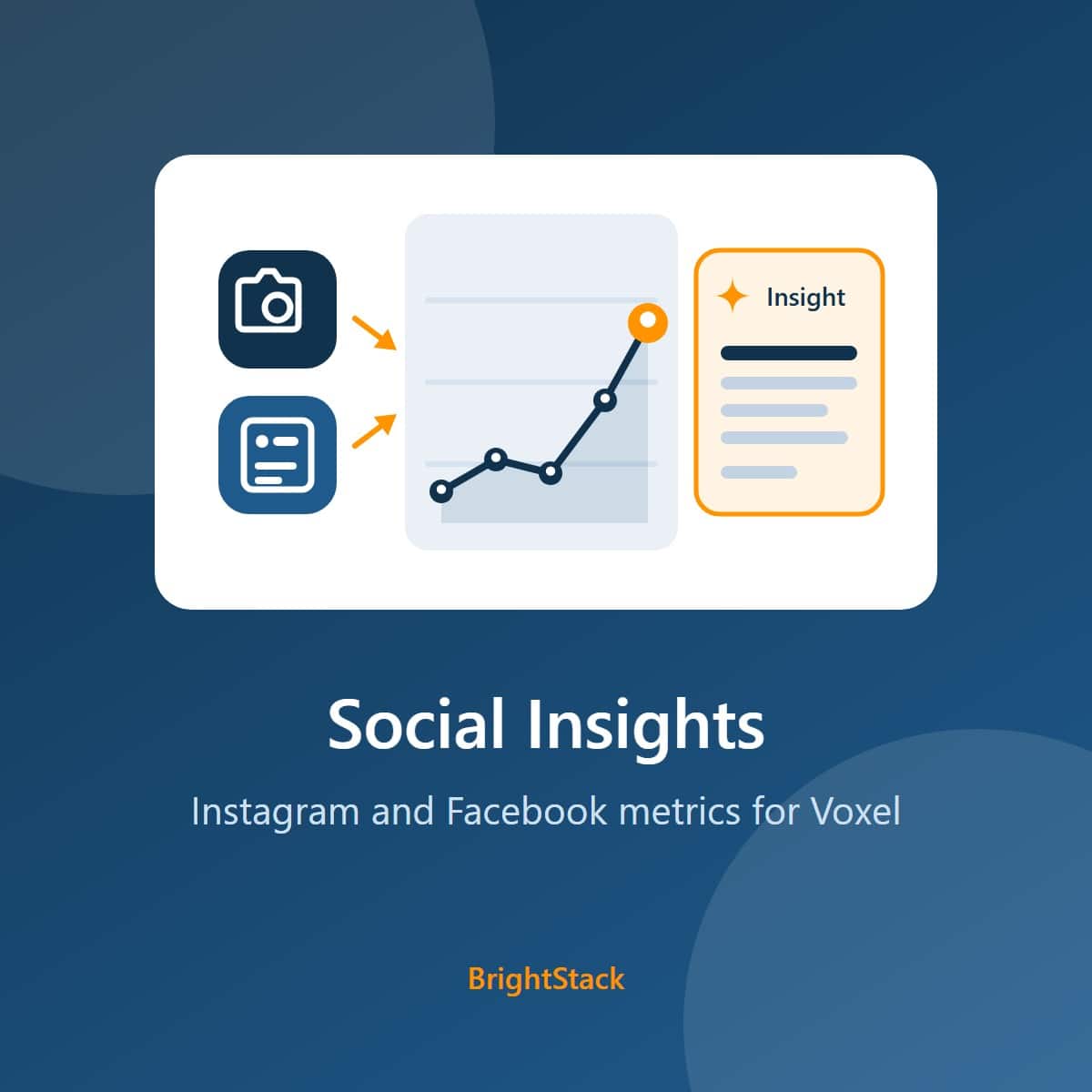
Social Insights reads the Instagram and Facebook links already saved on your Voxel listings, collects follower, post and engagement figures for each one through your own Apify account, and keeps the history. Charts show the trend, optional AI insights through your own OpenAI account explain it, and four Elementor widgets put it on your listing pages.
One site, yearly. Includes updates and support.
The problem
Your listings link to social profiles, but nobody can see how those profiles are doing
A directory already stores each business's Instagram and Facebook link. The numbers behind those links stay out of reach.
Checking profiles by hand
Opening each business's Instagram and Facebook Page, one at a time, to note followers and recent posts. It does not scale past a handful of listings.
No history
A follower count today says little. Growth only shows when the same figures are recorded again and again over weeks and months.
Nothing to show advertisers
Businesses want to know how their social presence is doing. Without stored figures there is nothing to report back to them.
Raw numbers, no meaning
Likes and comments per post are hard to read at a glance. Someone has to turn them into a plain summary of what is working.
How it works
Three steps from a saved link to a chart
You work in the WordPress admin the whole time, and the plugin uses the links your listings already hold.
Point it at your fields
For each listing type you track, choose the field that holds the listing's Instagram URL and the field that holds its Facebook Page URL. Add your Apify token.
The background job collects
Every 5 minutes a background job fetches a batch of listings that have an Instagram or Facebook channel never fetched, or not fetched within your fetch interval (30 days by default). Only the channels that are due are fetched, and each one gets a dated snapshot of the profile and its recent posts.
Read it, or show it
The Analytics screen charts followers, engagement and post activity for any listing. Generate AI insights when you want a written summary, and place the Elementor widgets on your listing pages.
What you get
Social figures, their history, and a plain summary
Each of these is covered in detail on the Features tab.
Followers, following and post counts for each profile, plus likes, comments and, for video, views on recent posts. Facebook Pages also bring their rating and page likes where the page shows them.
Every fetch is stored as a dated snapshot, so the charts show growth over 7 days to a year instead of a single number.
Key insights, a performance analysis, growth opportunities and recommendations for each listing, with a cross-platform comparison when both Instagram and Facebook data exist. Generated on demand, or automatically if you switch that on.
Four Elementor widgets show a chart, a stats box, the top performing posts and the AI insights on the front end of your site.
Set a monthly budget for Apify and for OpenAI. Each paid call is checked against the cap before it is made, and a call that would pass it is not made.
The front-end chart reads only published listings and returns only the chart series it needs, as whole numbers. Post links, captions and admin data are never sent to visitors.
Who it is for
Built for people who run directories on Voxel
Directory owners
Add social figures to listings that already carry Instagram and Facebook links.
Advertising sales
Show a business how its social profiles have grown, with charts and a written summary.
Agencies
Track the social presence of a client's listings from the same WordPress admin you already use.
Local guides
Show which local businesses post often and keep their audience engaged.
What leaves your site
Your accounts, your bill, and a clear list of what is sent
The plugin works through two outside services that you sign up for and pay directly. This is exactly what each one receives.
Apify
Your Apify token, and the Instagram profile URLs and Facebook Page URLs saved on the listings being fetched, along with how many posts to return. Apify's scrapers return the public profile and post figures, which are stored in your own WordPress database.
OpenAI
Only when AI insights are generated, and only if you added a key. For that listing it sends a fixed list of fields: totals, growth and engagement figures, the trend for the chosen period, and up to five top and five bottom posts with their captions and links. Contact details, biography, usernames and internal IDs are never sent. Automatic insights are off by default.
BrightAdvice
To check for updates, the product id, your site address, and your license key if you entered one. The BrightStack dashboard page reads the list of suite plugins with a plain request that sends no site data. Nothing about your listings or their social data is sent to BrightAdvice.
included.
An active license gives you updates through the normal WordPress Plugins screen and support by email. If you choose not to renew, the plugin keeps working as it is, but updates and support are no longer available. You can renew at any time. The license check only decides whether new versions are offered to your site.
Add social figures to your listings
$29 a year for one site, with updates and support for the year.
Features
Every feature, grouped by the job it does
Collect
Gather figures for every listing with a social link, on a schedule you set.
Uses the links you already have
Choose which listing types to track, then pick the field that holds the Instagram URL and the field that holds the Facebook Page URL for each type.
Background fetching, per channel
A job runs every 5 minutes and fetches a batch of listings with at least one enabled channel that has no snapshot inside your fetch interval, and only those channels are fetched. A listing whose automatic fetch keeps failing is retried after 1, 2, 4, then 8 days, never longer than the fetch interval, while its other channel stays fresh. After 5 failures in a row it appears under "Listings that keep failing" on the Settings screen, with a Try again button. Turning on a channel, or mapping a new field, makes that channel due right away. The interval defaults to 30 days, and the number of profiles per run defaults to 10.
Instagram and Facebook switches
Turn each platform on or off. Set how many recent Facebook posts to collect for each page (20 by default).
Fetch one listing now
Fetch a single listing from the Manual Data Fetch tool on the Settings screen, or from the Social Insights box on the listing's edit screen, which shows followers, following, posts and when it was last refreshed. The buttons show the server's reply, including any warning. Two fetches of the same listing never run at once.
Blacklist
Accounts on the blacklist are skipped by every Instagram and Facebook fetch, manual and scheduled, before any paid request starts. Add an account yourself. Accounts the provider reports as gone are added automatically, with the reason shown: a Facebook Page reported missing or invalid, and an Instagram account reported missing, private or unavailable. Temporary problems never blacklist an account, and if the blacklist cannot be read, nothing is fetched. Numeric Facebook pages (profile.php?id=) are matched by their id, so each one is listed on its own. Release an entry to have it fetched again. Every add and release is checked against the database before the screen reports it.
What is stored
Profile details such as username, name, bio, followers, following, post count and verified status, and for Facebook Pages the rating, likes and the contact details the page shows. For posts: link, caption, likes, comments, views, content type and date. Everything stays in your own database.
Analyze
See how each listing's social presence is changing, and why.
Analytics screen
Pick a listing to see followers and following growth, engagement and post activity, filtered by platform and by period, from 7 days to a year.
Data screen
Browse every stored profile with its last update time, its recent posts and related profiles. Delete platform history removes every stored snapshot and post of that profile on that platform and all saved AI insights for the listing; before anything is deleted, a confirmation names the listing and platform and states how many snapshots, posts and insights will go, with Cancel as the default. The delete removes exactly the rows you approved: anything a fetch or an insights job saves while you confirm is kept, and if an approved row has gone or its post count changed, the delete is refused and nothing is removed. It cannot be undone.
AI insights on demand
Generate a written analysis for a listing from the Analytics screen: key insights, performance analysis, growth opportunities and recommendations, plus platform comparisons and per-platform advice when both platforms have data.
Automatic AI insights (optional)
Off by default. When on, each freshly fetched listing is queued for new insights, and the queue is worked through every 5 minutes. Each queued listing is one OpenAI request.
Language and depth
Insights can be written in 13 languages: English, Spanish, French, German, Turkish, Italian, Portuguese, Dutch, Russian, Arabic, Japanese, Korean and Chinese. You choose how many recent data points the analysis uses (10 by default).
Show on your site
Put the figures on your listing pages with Elementor.
Social Insights Chart
Followers and following growth, post activity or engagement, for a chosen period and platform. Chart.js ships inside the plugin, so the chart loads nothing from an outside site.
Social Media Stats
Followers, following and post counts with username, verified badge, platform name and an optional last updated date. Labels, icon and colors are all editable.
Top Performing Posts
A listing's best posts for the period you choose, with the metrics you pick and your own colors.
AI Social Insights
The listing's latest written insights, showing the categories you select.
Voxel timeline posts (optional)
Off by default. When on, newly fetched Instagram and Facebook posts are published to the listing's Voxel timeline. A post that fails to publish is retried on the next fetch of that listing and skipped for good after 10 tries, a post is never published twice, and posts the owner deletes are not republished.
Cost and safety
Keep spending predictable and keys out of reach.
Monthly budgets
Set a monthly cap for Apify and for OpenAI, with your own cost estimate per fetch and per insight. Before each paid call, each Apify run and each OpenAI request, the plugin reserves it against the cap; a call that would pass the cap is not made until the next month or until you raise the cap. A reserved call is handed back only when the request never left your site or the provider refused it outright. A timeout, a dropped connection or a server error at the provider keeps it counted, so a retry at the cap cannot start a second paid run. Set a cap to 0 for no limit.
Spend shown in the admin
The background job panel shows estimated spend this month, a notice when a cap has paused fetching, and how many provider calls this month had no confirmed outcome and were counted as spent.
Keys in wp-config.php (optional)
Define your Apify token and OpenAI key as constants in wp-config.php to keep them out of the database. The settings screen then shows "Defined in wp-config.php" instead of the value.
Problems you can see
Admin notices report a save that failed, a post count that could not be updated, a timeline post that could not be published or an update step that did not finish, and clear only when the problem is resolved. A local maintenance check every 5 minutes repairs stored post counts from data already on your site. It never calls Apify or OpenAI, and keeps running while automatic fetching is paused.
Quiet, redacted logging
Diagnostic logs are written only when WordPress debug mode is on, with API keys, tokens and email addresses redacted and large payloads cut short.
License and upkeep
Updates arrive the normal WordPress way, and your data stays when you want it to.
Updates on the Plugins screen
With a license key, new versions appear on WordPress's normal Updates screen, with the auto-update switch. Each download is checked before it installs: it must contain this plugin at exactly the advertised version, or nothing changes.
Updates and support with your license
An active license gives you updates through the normal WordPress Plugins screen and support by email. Without one, the plugin keeps working as it is, still tells you an update exists, but cannot download it.
Data kept on uninstall by default
Deleting the plugin keeps its data tables and settings, so a reinstall picks up where you left off. To remove everything, tick the delete option on the License tab first. That removal cannot be undone. Your listings are never touched either way.
Upgrades from the original in place
An existing Voxel Social Media Suite install upgrades without data loss. Internal names, options and tables were kept on purpose.
Ready to track your listings
Check the requirements, then buy a license.
Requirements and pricing
What it costs, and what you need to run it
License
Plugin pricing
Prices are in US dollars through the BrightAdvice store.
- Every feature, on one site
- A year of updates on WordPress's normal Updates screen
- A year of email support
New versions for the length of your license, delivered through WordPress's normal Updates screen.
The plugin keeps working as it is, but updates and support are no longer available. You can renew at any time.
Email help@brightadvice.com with questions or bug reports while your license is active.
Refunds
Works on your site, or your money back
Social Insights is a digital download, so we do not refund a change of mind, and renewals are not refundable. If the plugin does not work on your Voxel site within 14 days of purchase, tell us and give us access to a staging copy of the site: WordPress admin, and SSH access if you can. We will try to fix the problem. If we cannot make it work, we refund you in full to your original payment method and deactivate the license.
We only ever work on a staging copy, never on your live site, so nothing we test can affect your visitors or your data.
Voxel can be customized in almost unlimited ways, so we cannot promise to support every configuration. If yours is one we cannot support, that is exactly when you get your money back.
Requirements
What your site needs
Keep WordPress, PHP and Voxel up to date. WordPress will not activate the plugin below the WordPress and PHP versions listed here.
| Item | Needed | Detail |
|---|---|---|
| WordPress | Required | Version 7.1 or newer. Tested with 7.1.2. |
| PHP | Required | Version 8.2 or newer. |
| Voxel theme | Required | Social Insights is built and tested for Voxel listing post types, so the Voxel theme must be active. It works on top of a Voxel directory; it is not a standalone plugin. The optional timeline feature publishes posts in Voxel's own format. |
| Apify account and API token | Required | Collects the Instagram and Facebook figures. Billed to you by Apify. Create an Apify account, then copy your token from the API and Integrations page of your Apify console and paste it into Apify API Token in the plugin's Settings. |
| OpenAI API key | Optional | Needed only for the written AI insights. Without a key, collection, charts and the other widgets still work. Billed to you by OpenAI. Create a key on the OpenAI API keys page and paste it into ChatGPT API Key in the plugin's Settings. |
| Elementor | Optional | Needed only for the four front-end widgets. The widgets load only when Elementor is active; the admin screens work without it. |
| Server cron job | Optional, recommended | The background jobs run on WordPress Cron, which only fires when someone visits your site. A server cron job, a standard setting on most hosts, keeps fetches on schedule on a quiet site. |
| License | For your information | Licensed GPL v2 or later. |
Running costs
What the connected services charge you
The plugin adds no charge per fetch. Running costs come from the services you connect, which bill you directly at their own rates. Their pricing pages have the current figures.
| Service | How it bills | Current prices |
|---|---|---|
| Apify | By usage under your Apify plan. Cost depends on how many profiles and posts you fetch and how often. The plugin runs Apify's Instagram scraper, its Facebook Pages scraper and a Facebook posts scraper. | apify.com/pricing |
| OpenAI optional | Per request, by model. One request per listing each time insights are generated. | OpenAI API pricing |
The monthly budgets start at $20 for Apify and $10 for OpenAI, with estimates of $0.05 per fetch and $0.02 per insight. These are estimates, not your providers' prices: set them to match your own plans, or set a cap to 0 for no limit.
A longer fetch interval and fewer posts per Facebook page both lower your Apify usage. The default interval is 30 days.
Leave automatic AI insights off and generate them only for the listings you need. That is the default.
Get Social Insights
Buy a license, then upload the plugin ZIP file in Plugins, Add New Plugin in your WordPress admin.
FAQ
Questions buyers ask before they start
Which platforms does it track?
Instagram profiles and Facebook Pages. Each platform can be switched on or off in Settings.
Where does it get the profile links?
From your own listings. For each listing type you choose the field that holds the Instagram URL and the field that holds the Facebook Page URL. Listings without a link are skipped.
Do I need my own Apify and OpenAI accounts?
An Apify account is required: it collects the figures, and Apify bills you directly. An OpenAI key is optional and is used only for the written insights; OpenAI bills you directly for those requests.
Create an Apify account and copy your token from the API and Integrations page. Create an OpenAI key on the OpenAI API keys page.
The plugin adds no charge of its own per fetch or per insight.
What exactly is sent to Apify and OpenAI?
Apify receives your token and the Instagram and Facebook URLs saved on the listings being fetched, plus how many posts to return.
OpenAI receives, only when insights are generated, a fixed list of fields: the platform and date range, totals such as followers and post count, growth and engagement figures, the follower and engagement trend, and up to five top and five bottom posts with their captions, links and engagement numbers. Address, phone, email, website, biography, usernames, related profiles and internal IDs are never sent.
Is collecting social data allowed?
The figures come from public profiles, collected by Apify's scrapers. Instagram and Facebook each have their own terms, and how you collect and publish this data is your responsibility as the site owner. Review those terms for your use.
What happens when a listing keeps failing?
Its automatic fetch is retried after 1, 2, 4, then 8 days, never longer than your fetch interval. After 5 failures in a row the listing appears under "Listings that keep failing" on the Settings screen, with a Try again button. An account the provider reports as missing, private or invalid is added to the blacklist automatically, so no more paid requests are spent on it; you can release it at any time.
Can I stop it from overspending?
Yes. Set monthly budgets for Apify and OpenAI in Settings. Before each paid call, each Apify run and each OpenAI request, the plugin reserves it against the cap. A call that would pass the cap is not made, so collection and AI insights pause until the next month or until you raise the cap. A call whose outcome is uncertain, such as a timeout, stays counted against the cap. The budget works from your own cost estimates, not your providers' bills. The admin shows estimated spend this month and the number of unconfirmed calls.
Does it work without Elementor?
The admin screens, collection, charts and AI insights all work without Elementor. Elementor is needed only to place the four widgets on your listing pages.
What can visitors see?
Only what you place on a page with the widgets. The public chart reads only published listings and returns only the chart series, as whole numbers. Post links, captions and admin data are not sent to visitors, and each chart result is cached for 10 minutes.
What happens if I don't renew?
An active license gives you updates and support. If you choose not to renew, the plugin keeps working as it is, but updates and support are no longer available. You can renew at any time.
Can I change or move the code?
Yes. The plugin is licensed under the GPL, version 2 or later, so you can read and change the code. A license key covers updates and support for the sites in your plan.
I already use Voxel Social Media Suite. Can I switch?
Yes. Social Insights keeps the original's internal names, settings and database tables, so it upgrades an existing install in place without losing data.
What happens to my data if I delete the plugin?
By default it is kept, so a reinstall picks up where you left off. To remove everything, tick the delete option on the License tab and save before deleting the plugin. That removes the plugin's tables and settings, including API keys, and cannot be undone. Your listings are never touched.
What about refunds and support?
If the plugin does not work on your Voxel site within 14 days of purchase, we try to fix it on a staging copy you give us access to, and refund you in full if we cannot. We do not refund a change of mind, and renewals are not refundable. The full policy is on the Requirements and pricing tab.
For help or bug reports, email help@brightadvice.com.
See where it came from
Read the plugin's history and what changed in each release.
WordPress · Voxel directories · release history and audits
BrightStack Social Insights
BrightStack Social Insights was called BrightAdvice Social Insights until version 3.3.2. Only the name changed. Rebuilt from Voxel Social Media Suite v1.0.4, a commercial plugin whose vendor stopped maintaining it. Under the same audit rules, the original scores 69 out of 100, and the latest audited build, 3.2.18, scores 96. The current release is 3.3.2.
Where it started
From the original plugin to today's version
Rebuilt from Voxel Social Media Suite (v1.0.4), a commercial plugin whose vendor stopped maintaining it. BrightAdvice renamed it, hardened it and now maintains it, and it is licensed GPL v2 or later like the original. Both versions were audited under the same rules. Its internal names were kept so existing installs upgrade in place.
- No longer maintained by its vendor, no updates
- A license gate and an update checker that called the old vendor's site
- Security gaps in its admin and public endpoints
- Code paths that crashed once the license gate was gone
- Old license gate and vendor calls removed
- Updates from the BrightAdvice store, each package checked before it installs
- Permission checks, sanitized settings and a whitelisted public chart endpoint
- Monthly spend caps, minimized debug logging and optional keys in wp-config.php
- Per-channel fetching with back-off, automatic blacklisting and transactional saves
Independently audited
How it has been audited
An independent code auditor scores each build with the same fixed rules (rubric v1.0): eight categories, fixed deductions for each problem found, and a cap on the overall score while any serious problem stays open. Scored across the whole plugin, the original 1.0.4 scores 69, capped for a high-severity problem. The first sales release, 3.2.0, scored 89 in the same review, held back by a medium finding.
The fixes that followed were audited round by round. 3.2.6 was held at 86 with six medium findings; 3.2.8 closed them and scored 98 with one minor finding. The recovery work in 3.2.10 to 3.2.18 went through several focused audits, none with a serious or medium finding; 3.2.18 scored 96, carrying the whole-plugin assessment forward, with one minor finding: some recovery messages promised more than the README does. 3.2.20 is the release that rewords those messages, with no change in behavior, and has not been audited separately. These are static code reviews. No paid Apify or OpenAI run was made to test 3.2.20. 3.3.0 changes only the version number, to join the suite's 3.3.x line, and has not been audited separately.
What was built
Release history
Newest first, taken from the plugin's changelog. Versions now follow the suite: 3.3.x across all four plugins.
Renamed to BrightStack Social Insights
- BrightAdvice Social Insights is now BrightStack Social Insights, published by BrightAdvice. Only the name shown on screen changed.
- The plugin folder, settings, license keys and update address are unchanged, so the update installs over the old copy.
- The shared admin menu is now called BrightStack. It shows that name once every BrightStack plugin on the site is updated.
Suite versioning
- Suite versioning: Places Importer, Intelligent Search, Lead Analytics and Social Insights now share the 3.3.x version line, so matching first numbers show the plugins were released together. This release changes no behavior.
Recovery messages say exactly what can be retried
- A failed older post is tried again on the next fetch only if the provider returns it again, and a stored post count is repaired by a periodic maintenance check that can be delayed by database problems or missing WP-Cron deliveries. The messages now say so. No behavior change.
Recovery you can see
- 3.2.10: if posts were saved but the post count or a Voxel timeline publish failed afterwards, an admin notice and a warning in the fetch reply say so, instead of a silent debug log line.
- 3.2.12: a local maintenance check repairs stored post counts within a few minutes. It runs while automatic fetching is paused, and never calls Apify or OpenAI.
- 3.2.14: a retried timeline post can no longer be published twice when a fetch of the same listing runs at the same time.
- 3.2.16: simpler post count repair from stored data, timeline retries on the next fetch of that listing, and notices worked out from stored data each time they are shown.
- 3.2.18: a fairer maintenance time budget, a post count notice that clears only when every snapshot matches, and Fetch Data and Refresh Data buttons that show the server's reply, including warnings.
Large hardening round
- This entry also covers 3.2.2 to 3.2.6, which had no separate changelog entries.
- Saves run in database transactions, and database update steps that fail are retried instead of being marked done.
- Listings whose automatic fetch keeps failing are retried after 1, 2, 4, then 8 days, and after 5 failures in a row appear under "Listings that keep failing" with a Try again button.
- Instagram accounts reported missing, private or unavailable are blacklisted automatically, temporary errors never blacklist an account, and if the blacklist cannot be read nothing is fetched.
- Two fetches of the same listing cannot run at once, and Instagram values that are not a real profile link are skipped before any Apify request.
- The lowest accepted cost estimate is 0.001, so a 0 cannot switch a spending cap off. Saved API keys are no longer shown on the Settings page.
- The AI, Top Posts and Stats widgets show data for published listings only, and widget scripts load only on pages that use them. The Data screen works on MySQL 5.7, and engagement averages are real averages.
First sales release
- Identical in behavior to 3.1.44. Only the version number changed, so Social Insights shares the 3.2 version line with BrightStack Places Importer.
Exact deletes, spend caps and language list
- 3.1.40: spend caps keep a reserved call counted when the provider may have started the work, and the Settings screen shows how many such unconfirmed calls each month had. Automatic fetching tracks Instagram and Facebook separately. Delete platform history states exactly what it removes before anything is sent, and blacklist changes are checked against the database.
- 3.1.42: Delete platform history removes only the exact snapshots and insights you approved, inside one database transaction, and a late provider reply can no longer erase the current month's spend record.
- 3.1.44: Estonian was removed from AI Insights Language. It was offered, but insights were always written in English.
First BrightAdvice release
- Suite parity release: moves to the 3.1.x version line shared by the BrightStack suite. Requires WordPress 7.1 and PHP 8.2.
- Fixes from an independent audit: monthly budgets checked before every paid call, a working blacklist, safer profile deletes, a fixed list of fields sent to OpenAI, minimized debug logging, and lighter database reads on the public widgets.
- New License tab. A license key turns on updates and support; if you choose not to renew, the plugin keeps working as it is. Updates come from the BrightAdvice store on the normal Plugins screen, with the auto-update switch, and each download must contain this plugin at exactly the advertised version.
- Deleting the plugin keeps data by default, with an opt-in choice on the License tab to remove everything.
Fork baseline work
- 1.1.0: initial GPL fork of v1.0.4. Removed the commercial license gate and the update checker that called the old vendor, added permission checks, and limited the public chart to published posts.
- 1.2.0: opt-in automatic AI insights, and one background pipeline for Instagram and Facebook.
- 1.2.2 to 1.2.4: every setting sanitized, logs redacted, and the public chart reduced to a whitelist of cast chart series.
- 1.2.8 to 1.2.10: API keys can be set in wp-config.php, and Chart.js is bundled locally.
- 1.2.12: fixed a load-order crash on sites running Elementor.
- 1.2.14 to 1.2.20: shared BrightStack admin menu, monthly spend caps, last refreshed dates, and further hardening.