WordPress plugin for Voxel directory sites
Show every listing owner the leads their listing sends.
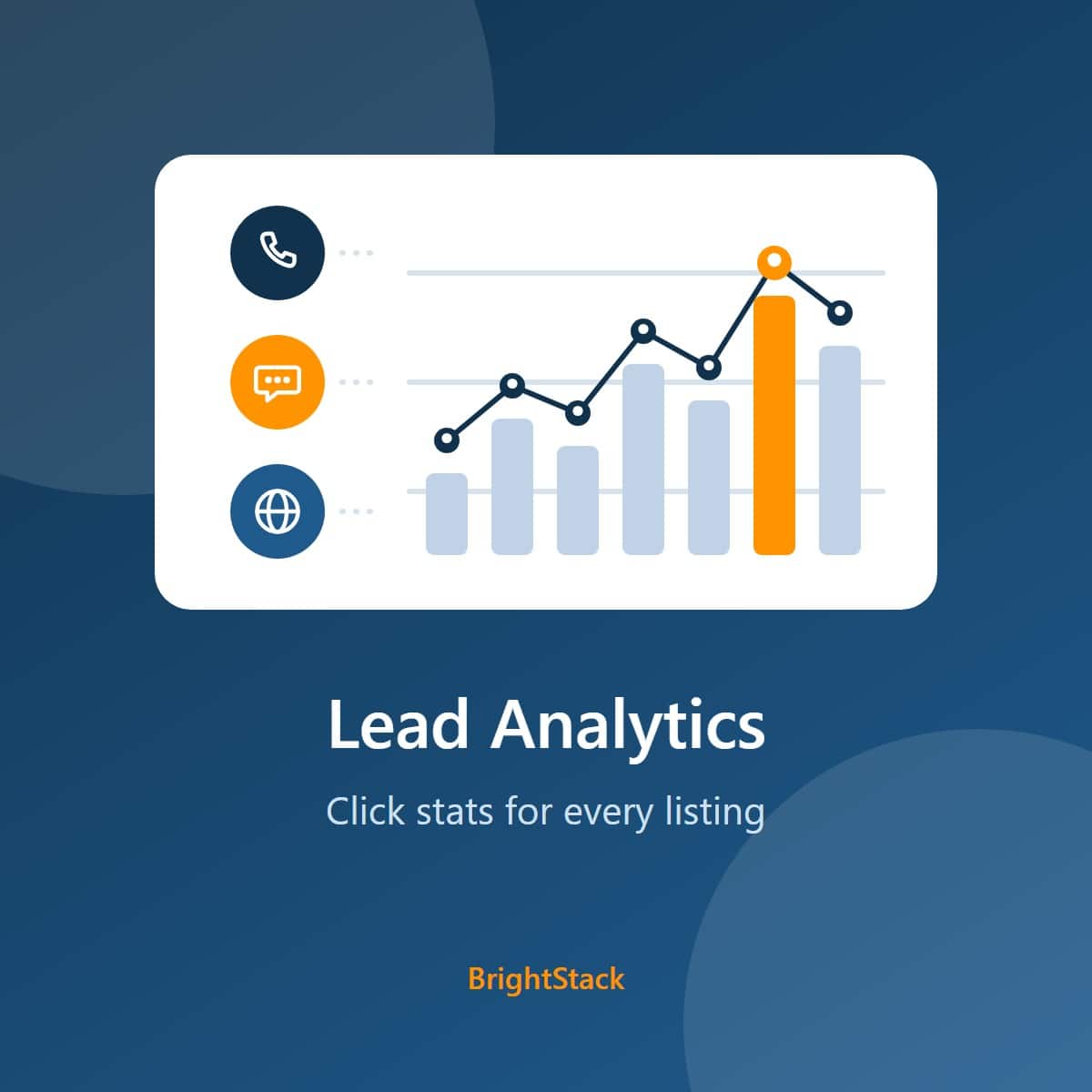
Lead Analytics counts clicks on the phone, WhatsApp and website buttons of your Voxel listings, plus any other button you tag. Listing owners see their own numbers in an Elementor widget. You see every listing, plus the busiest hours and days, from the WordPress admin.
One site, yearly license. Includes updates and support.
The problem
Advertisers want to know whether their listing works
A directory sells visibility. Without numbers, an advertiser has only your word for it when the renewal comes round.
No proof of value
Page views say a listing was seen. They do not say anyone picked up the phone, opened WhatsApp or visited the business's website.
Shared analytics tools are the wrong fit
A site-wide analytics account shows you everything and shows a listing owner nothing. You cannot hand an advertiser a login that exposes every other advertiser.
How it works
Three steps from a button to a lead report
Setup happens in Elementor and takes one attribute per button. There are no external accounts or API keys to connect.
Tag the button
In Elementor, open the button's Advanced > Attributes and add an ID that starts with click-, such as id|click-phone, click-whatsapp or click-website. Any element with a click- ID is tracked.
Visitors click
Each click is recorded with the listing, the button, the device type (desktop, mobile or tablet) and the time. A visitor who clicks the same button again within the hour is not counted twice, so the numbers reflect visitors, not repeat taps.
Owners see their stats
Add the Click Counter Stats widget to a page, such as a member dashboard. Each logged-in owner sees stats for the listings they own, and only those. Administrators see everything. Logged-out visitors see nothing.
What you get
Lead numbers for owners, and the full picture for you
Each of these is covered in detail on the Features tab.
Phone, WhatsApp, website, booking or social buttons. If its ID starts with click-, it is counted. Click tracking works even without Elementor.
Total clicks, unique visitors and a desktop, mobile and tablet split for each tracked button, over the date range the owner picks. Each button gets its own label, icon and colors, in a grid of 1 to 4 columns or a list.
Clicks by hour of the day and by day of the week, for the same eight date ranges. Use it to time posts and ads, and to staff the phones when calls come in. Administrators only; listing owners see the stats widget.
A Recent Lead Activity widget on the WordPress dashboard shows the 10 most recent clicks and the busiest hours of the day. Administrators only.
Download click totals per listing, per button and per day, with unique visitors and device columns. No visitor identifiers are ever written to the file.
Raw IP addresses, browser user-agents and referring pages are not stored by default. Clicks older than your retention period are deleted automatically once a day.
Who it is for
Built for directories that sell listings
Directory owners
Give paying advertisers a page where they can see the calls, WhatsApp messages and website visits their listing sends.
Agencies
Add lead reporting to a client's Voxel directory with one attribute per button and one Elementor widget.
Nobody else's.
Logged-out visitors get nothing, ever. A logged-in user sees stats only for the listings they authored. Administrators see everything. The same rule applies to the widget and to the request that loads its data, so the numbers cannot be read by asking for them directly.
Start showing advertisers their leads
$29 a year for one site. An active license covers updates and support. If you choose not to renew, the plugin keeps working as it is, but updates and support are no longer available.
Features
Every feature, grouped by the job it does
Tracking
Count the clicks that matter, and only the real ones.
Tag any element
Any element whose HTML ID starts with click- is tracked. In Elementor you add it under Advanced > Attributes, for example id|click-phone. IDs use letters, numbers, dashes and underscores.
One count per visitor per hour
Each visitor's click on a given button is counted once per hour, per listing, with a cap of 25 click records per visitor, per listing, per hour. The rule is enforced by the database itself, with a unique rule, not only by a check before saving, so it holds even when two requests arrive together.
Flood protection
A cap of 25 click records per visitor, per listing, per hour blocks scripted flooding, whatever button IDs are sent. A developer can change the cap with a filter.
Device type
Each click is recorded as desktop, mobile or tablet.
Works on cached pages
Clicks from logged-out visitors are counted on pages served from a full-page cache. Logged-in visitors send a security token, with one automatic retry if it has expired.
Buttons added later, and card pages
Buttons that appear after the page loads, such as popups and AJAX cards, are tracked too. On archive and card pages, a data-post-id on the card credits the right listing.
Same-site requests only
A click is accepted only when the request comes from your own site, including on sites with a strict referrer policy.
Silent for visitors
If a click cannot be recorded, the visitor sees nothing different. Developers can listen for the lgc:click_track_failed event.
Stats for listing owners
An Elementor widget that shows each owner their own results.
Click Counter Stats widget
Shows total clicks, unique visitors and a desktop, mobile and tablet split for each tracked button. Place it on any page, such as a member dashboard.
Eight date ranges
Today, yesterday, the last 7, 14 or 30 days, and the last 3, 6 or 12 months. Ranges follow your site's own time zone. With the default 90-day retention, the 3, 6 and 12 month ranges show only the clicks you kept, so raise the retention period if owners need longer history.
Today7 days30 days12 monthsYour look, per button
Each tracked button in the widget settings can have its own label, icon and colors. Lay the cards out as a grid of 1 to 4 columns, or as a list.
Strict visibility
Logged-out visitors see nothing. A logged-in user sees only the listings they authored. Administrators see every listing.
Reports for administrators
The whole directory in one place, in the WordPress admin.
Best Times for Clicks
Two charts on the Lead Analytics settings page: clicks by hour of the day and by day of the week, for any of the eight date ranges. Only clicks inside your retention period are counted. Administrators only.
Tracking Health
A card showing rejected tracking requests over the last 7 days, and a warning when most clicks seem to come from one address, which usually means a proxy is hiding visitor addresses. Only a daily count is stored, never request data.
Recent Lead Activity
A WordPress dashboard widget listing the 10 most recent clicks, with the button, the listing and the device, plus a chart of the busiest hours in 3-hour blocks.
Export Click Data
Download a CSV of click totals per listing, per button and per day, for all listings or one, with unique-visitor and device columns. Opens in Excel or Google Sheets. No visitor identifiers are included, and text cells are protected against spreadsheet formula injection.
Clear All Tracking Data
Deletes every recorded click, and every recovery copy, from the database after a confirmation. It reports success only after each table is checked empty. This cannot be undone.
Privacy and data
Store what the reports need, and nothing more by default.
What is stored
For each click: a visitor identifier, the listing, the button, the device type and the time. The raw IP address, the browser user-agent and the referring page are not stored by default. A developer can switch each of these on with a filter.
Hashed visitor identifier
The visitor identifier is a one-way keyed hash of the IP address. It cannot be reversed without your site's secret salt, but the same visitor always gets the same identifier, so privacy laws such as the GDPR can still treat it as personal data.
Retention you control
Clicks older than the retention period are deleted automatically once a day. The default is 90 days, and you can change it under Data Retention and Privacy.
Your data stays unless you choose
Deactivating keeps your data, and so does deleting the plugin from the Plugins screen, so a reinstall picks up where you left off. To remove everything, tick "Delete all Lead Analytics data when the plugin is deleted" under Data on Uninstall first. That removes the tracking table, the recovery copies, all plugin settings and the license key, and cannot be undone.
Repairs keep a recovery copy
When an upgrade or the privacy clean-up removes a row that double counted a click, a copy of that row is saved first in a separate recovery table, and only rows with a confirmed copy are removed. Every copy follows the same privacy rules as the click table: the hashed identifier, never the raw address, and no user-agent or referer unless you store those. Copies follow your retention period, are deleted by Clear All Tracking Data, and a one-time notice tells you how many rows were removed and where the copies are.
A daily privacy recheck you can see
Once a day the plugin checks the recovery copies for a raw address, user-agent or referer, and runs the clean-up again if it finds one. If that check cannot complete because the database could not be read, a notice on the Lead Analytics screen, the Dashboard and the Plugins screen says so, and the check is tried again about every 10 minutes while an administrator is in the admin. The notice clears once a check completes.
Upgrading from the original plugin
Rows from the original Voxel Lead Analytics 1.0.x held raw IP addresses, user-agents and referring pages. The plugin replaces those IPs with the same hash new clicks use and blanks the other two columns, in batches of 500 addresses per administrator page load. It cleans the recovery copies the same way and marks the job finished only after a final check finds nothing left in either table.
Proxy-aware
The Cloudflare visitor IP header is trusted only when the request comes from Cloudflare's published address ranges, so a direct visitor cannot forge an identity. Other trusted proxies can be added with a filter, and an invalid proxy entry is ignored rather than trusting every address. Behind a different proxy that hides visitor addresses, all visitors can look like one until a developer sets the real address with the vla_client_ip filter; Tracking Health warns when this seems to be happening.
IPv6 visitors grouped by network
IPv6 visitors are identified by their /64 network prefix, so a device that changes its address cannot step around the one-hour rule or the hourly cap. Addresses written in IPv4-mapped form count as the IPv4 address they really are.
License and updates
Updates through WordPress, and support by email.
Updates and support with your key
Enter your license key on the Lead Analytics settings page to turn on updates and support. If you choose not to renew, the plugin keeps working as it is, but updates and support are no longer available.
Checked updates
Updates arrive on WordPress's normal Plugins and Updates screens, with the auto-update switch. Each update is checked before it installs: it must be this plugin, at exactly the advertised version, or the install stops and nothing changes.
A quiet reminder
Without a license, a notice appears on the Lead Analytics screen only, with a "Hide for 30 days" link for each administrator.
Plugin row links
The Plugins screen row links to Settings, View details, Documentation and Get help.
Ready to track leads
Check the requirements, then buy a license.
Requirements and pricing
What it costs, and what you need to run it
License
Plugin pricing
Prices are in US dollars through the BrightAdvice store.
- Every feature, on one site
- A year of updates on WordPress's normal Updates screen
- Support by email while your license is active
New versions for the length of your license, delivered through WordPress's normal Updates screen, plus support.
The plugin keeps working as it is, but updates and support are no longer available. You can renew at any time.
Email help@brightadvice.com with questions or bug reports while your license is active.
Refunds
Works on your site, or your money back
Lead Analytics is a digital download, so we do not refund a change of mind, and renewals are not refundable. If the plugin does not work on your Voxel site within 14 days of purchase, tell us and give us access to a staging copy of the site: WordPress admin, and SSH access if you can. We will try to fix the problem. If we cannot make it work, we refund you in full to your original payment method and deactivate the license.
We only ever work on a staging copy, never on your live site, so nothing we test can affect your visitors or your data.
Voxel can be customized in almost unlimited ways, so we cannot promise to support every configuration. If yours is one we cannot support, that is exactly when you get your money back.
Requirements
What your site needs
Keep WordPress, PHP and Voxel up to date. These minimums are the only combination the plugin has been tested on.
| Item | Needed | Detail |
|---|---|---|
| WordPress | Required | Version 7.1 or newer. Tested on 7.1.2. |
| PHP | Required | Version 8.2 or newer. |
| Voxel theme | Required | The plugin counts clicks on the buttons of Voxel listings and shows the counts to listing owners. It works on top of a Voxel directory; it is not a standalone plugin. |
| Elementor | Required for the stats widget | The Click Counter Stats widget is an Elementor widget, and Voxel uses Elementor. Click tracking itself works without it. |
| WordPress Cron | Used | Old clicks are deleted by a daily scheduled task. WordPress Cron runs when your site has visitors, or on a fixed schedule if your host runs a server cron job. |
| License | For your information | Licensed GPL v2 or later. |
What you need to provide
No outside accounts or API keys
Lead Analytics needs no third-party service, account or API key, and adds no running cost. Clicks are recorded and reported inside your own WordPress database. The only key is your BrightStack license key, which is optional and turns on updates and support.
| Contact with brightadvice.com | What is sent |
|---|---|
| Update check | The product id, your site's address and, when saved, your license key. |
| BrightStack dashboard page | A plain request for the list of suite plugins. It sends no site data. |
| Visitor and click data | Never sent anywhere. |
Get Lead Analytics
Buy a license, then upload the plugin ZIP file in Plugins, Add New Plugin in your WordPress admin.
FAQ
Questions buyers ask before they track
Which buttons can I track?
Any element whose HTML ID starts with click-. In Elementor, open the element's Advanced > Attributes and add a custom attribute such as id|click-phone, id|click-whatsapp or id|click-website. An ID without the click- prefix is not counted.
Will a visitor who clicks five times count five times?
No. A click is recorded once per visitor, per button, per listing, per hour. On top of that, a cap of 25 click records per visitor, per listing, per hour blocks scripted flooding.
Do clicks count on cached pages?
Yes. Logged-out visitors need no security token, so their clicks count on pages served from a full-page cache. Logged-in visitors send a token, with one automatic retry if it has expired.
Can owners see more than 90 days of history?
Only if you keep it. The widget offers ranges up to the last 12 months, but clicks older than your retention period (90 days by default) are deleted daily. Raise the retention period under Data Retention and Privacy if owners need longer ranges.
What happens to repeat clicks recorded by earlier versions?
Earlier versions of this kind of click counter could record the same visitor's repeat clicks on the same button within the same hour more than once. When you update, Lead Analytics removes those repeat rows, keeping the first one, and saves a copy of each removed row first so nothing is lost without a record. From then on, each visitor's click on a given button is counted once per hour.
The saved copies are kept for your retention period (90 days by default) and then deleted automatically, and a one-time notice tells you how many rows were removed and where the copies are.
Can a listing owner see other owners' stats?
No. A logged-in user sees stats only for the listings they authored. Administrators see every listing. Logged-out visitors see nothing, and the stats request returns no data to them.
Does it work without Elementor?
Click tracking works without Elementor. The Click Counter Stats widget for listing owners is an Elementor widget, so owners need Elementor to see their stats on the front end. Voxel uses Elementor, so a Voxel site already has it.
What does it store about visitors?
For each click: a visitor identifier, the listing, the button, the device type and the time. The raw IP address, the browser user-agent and the referring page are not stored by default.
The visitor identifier is a one-way keyed hash of the IP address. The raw IP is not saved, but the same visitor always gets the same identifier, so privacy laws such as the GDPR can still treat it as personal data. Treat it as pseudonymous personal data, not anonymous data, in your privacy policy.
How long is click data kept?
90 days by default. You can change the retention period under Lead Analytics > Data Retention and Privacy. Clicks older than the period are deleted automatically once a day.
Does it send anything to BrightAdvice?
The update check sends the product id, your site's address and, when saved, your license key. The BrightStack dashboard page reads the list of suite plugins with a plain request that sends no site data. No visitor or click data is ever sent anywhere.
My site is behind Cloudflare. Are visitors identified correctly?
Yes. The Cloudflare visitor IP header is trusted only when the connection comes from Cloudflare's published address ranges, so direct visitors cannot forge an identity. Behind a different trusted proxy, a developer can add its address ranges with a filter. Behind a proxy that hides visitor addresses, every visitor can look like one until a developer sets the real address with the vla_client_ip filter. The Tracking Health card warns when most clicks seem to come from one address.
I use the original Voxel Lead Analytics. What happens to my data?
Your click history stays. Rows from the original 1.0.x plugin held raw IP addresses, user-agents and referring pages. When an administrator opens the admin, the plugin replaces those IPs with the same hash new clicks use and blanks the other two columns, 500 addresses per page load, so a large table takes a few visits. The job is only marked finished after a final check finds nothing left, and if a step fails a notice says so and it tries again. Unique-visitor counts stay continuous. If an old row turns out to double count a click made after the upgrade, it is copied to a recovery table, with the address already hashed, before it is removed.
What happens if I don't renew?
An active license gives you updates and support. If you choose not to renew, the plugin keeps working as it is, but updates and support are no longer available. You can renew at any time.
Can I change or move the code?
Yes. The plugin is licensed under the GPL, version 2 or later, so you can read and change the code. A license key covers updates and support for the sites in your plan.
What happens when I delete the plugin?
By default, nothing is lost. Deactivating keeps all data, and deleting the plugin from the Plugins screen keeps your click history and settings too; only the daily cleanup schedule and the plugin's caches are removed. To remove everything, tick "Delete all Lead Analytics data when the plugin is deleted" under Lead Analytics > Data on Uninstall before deleting. Deleting then removes the tracking table, the recovery copies, all plugin settings and the license key, and this cannot be undone. Release your license from the License card before you delete, or from your brightadvice.com account afterwards.
What about refunds and support?
If the plugin does not work on your Voxel site within 14 days of purchase, we try to fix it on a staging copy you give us access to, and refund you in full if we cannot. We do not refund a change of mind, and renewals are not refundable. The full policy is on the Requirements and pricing tab.
For help or bug reports, email help@brightadvice.com.
See what changed in each release
Read where the plugin came from and what changed in each release.
WordPress · Voxel directories · release history and audits
BrightStack Lead Analytics
BrightStack Lead Analytics was called BrightAdvice Lead Analytics until version 3.3.2. Only the name changed. Rebuilt from Voxel Lead Analytics v1.0.6, a commercial plugin whose vendor stopped maintaining it. Under the same audit rules, the original scores 69 out of 100 and 3.2.10 scores 98 with no open finding. The current release is 3.3.4, which changes only the version number.
Where it started
From the original plugin to today's version
Rebuilt from Voxel Lead Analytics v1.0.6, a commercial plugin whose vendor stopped maintaining it. BrightAdvice renamed it, hardened it and now maintains it, and it is licensed GPL v2 or later like the original. Both versions were audited under the same rules. The original license phone-home system was removed.
- No longer maintained by its vendor, no updates
- A license phone-home system
- Access-control and privacy flaws, fixed in the fork
- Visitors identified by raw IP address, with user-agents and referring pages stored for every click
- Repeat clicks checked with a time comparison before saving, with no unique rule in the database
- Old data cleaned up on every tracked click
- Maintained, with updates from the BrightAdvice store
- Updates and support with an active license
- Owners see their own listings, admins see all, guests see nothing
- Hashed visitor identifier; raw IPs, user-agents and referers off by default
- Repeat clicks blocked by the database itself, not only by a check
- Once-per-hour counting with a cap, and a daily retention cleanup
Independently audited
How it has been audited
An independent code auditor scores each build with the same fixed rules (rubric v1.0): eight categories, fixed deductions for each problem found, and a cap on the overall score while any serious problem stays open. Scored across the whole plugin, the original 1.0.6 scores 69, capped for a high-severity problem; its authorization, update trust, privacy and click admission defects are repaired in the fork. For example, the original checked for a repeat click with a time comparison and then saved the row, with no unique rule in the database, and identified visitors by their raw IP address. Repeat clicks are now blocked by the database itself, not only by a check, and visitor addresses are stored as a keyed hash.
The first sales release, 3.2.0, scored 89 in the same whole-plugin review, held back by one medium finding about reporting when click data is deleted. Fix rounds followed: the staging-only 3.2.6 was held at 89 for one medium finding about visitor identity, and 3.2.8 was held at 89 for one new medium finding about trusted proxy ranges. 3.2.10 fixed it, and its re-score across the whole plugin is 98 out of 100 with no open finding. The auditor notes that this is a static code review that reuses earlier evidence for unchanged code, not a fresh runtime test of the installed plugin. Before release, 3.2.10 was installed on a staging site with the other suite plugins and passed 50 of 50 real-database checks. 3.3.0 changes only the version number, to join the suite's 3.3.x line, and has not been audited separately.
Release history
Every version
Newest first, taken from the plugin's changelog. Versions now follow the suite: 3.3.x across all four plugins.
Plugin icon on the Updates screen
- The plugin now shows its icon on the Plugins and Updates screens and in the View details popup. Before, WordPress showed its gray placeholder.
Renamed to BrightStack Lead Analytics
- BrightAdvice Lead Analytics is now BrightStack Lead Analytics, published by BrightAdvice. Only the name shown on screen changed.
- The plugin folder, settings, license keys and update address are unchanged, so the update installs over the old copy.
- The shared admin menu is now called BrightStack. It shows that name once every BrightStack plugin on the site is updated.
Suite versioning
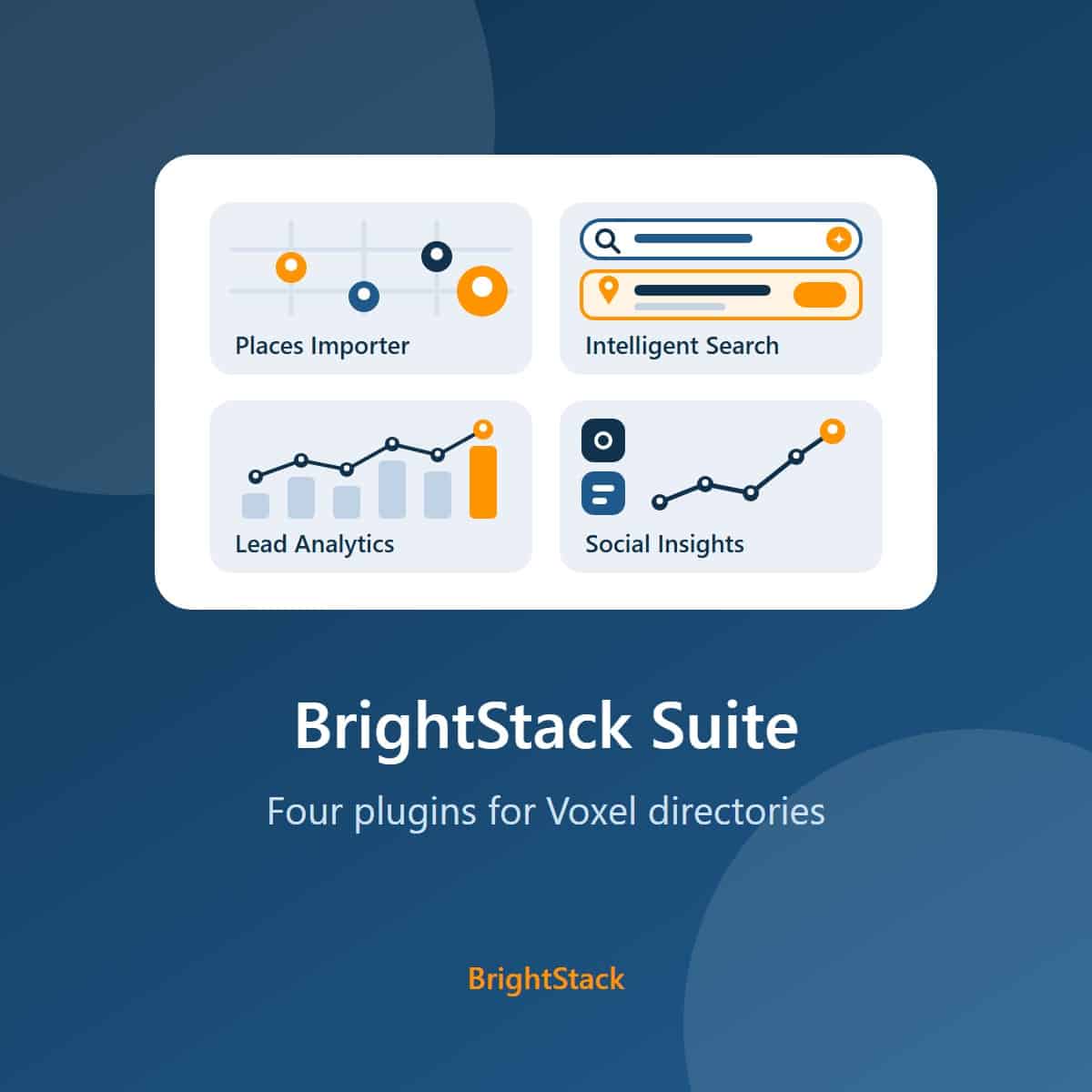
- Suite versioning: Places Importer, Intelligent Search, Lead Analytics and Social Insights now share the 3.3.x version line, so matching first numbers show the plugins were released together. This release changes no behavior.
Trusted proxy ranges fixed
- A trusted proxy range written in IPv4-mapped form (for example ::ffff:192.0.2.0/120) works again. In 3.2.8 it stopped matching, so every visitor behind that proxy counted as one visitor.
- Security: a trusted proxy entry with an invalid or out-of-range prefix is now ignored. Before, it could trust every address, so a visitor could choose their own identity.
- Every visitor address and proxy range is read through one shared parser. Visitor identifiers do not change in this update.
Fixes from a whole-plugin review of 3.2.0
- This entry also covers 3.2.2 to 3.2.6, which were staging-only builds with no separate changelog entries.
- Clear All Tracking Data and the daily cleanup report honestly: each step is checked, and a step that fails shows an admin notice instead of a success message.
- A damaged or empty retention setting now means the 90-day default everywhere, instead of a cleanup that could delete almost all click history.
- Clicks from logged-out visitors are counted on pages served from a full-page cache.
- New Tracking Health card: rejected tracking requests over the last 7 days, and a warning when most clicks seem to come from one address.
- IPv6 visitors are identified by their /64 network prefix, and IPv4-mapped addresses are counted as the IPv4 address they really are.
- Sites whose WordPress Address and Site Address use different hosts no longer reject every click, and clicks on archive pages are credited to the right listing.
- A stats widget with no configured elements asks for them instead of listing every recorded button ID.
First sales release
- Identical in behavior to 3.1.36. Only the version number changed, so Lead Analytics shares the 3.2 version line with BrightStack Places Importer.
Privacy hardening of the recovery copies
- 3.1.34: every recovery copy, from the table upgrade or the privacy clean-up, now holds the hashed visitor identifier and no user-agent or referer unless you store those. Older copies are cleaned the same way, and the clean-up is marked done only when a final check finds nothing left in both tables. Sites already marked clean are rechecked once a day.
- 3.1.36: if that daily recheck cannot complete because a database read fails, it is no longer reported as clean. A notice on the Lead Analytics screen, the Dashboard and the Plugins screen names the failed step, and the check is tried again about every 10 minutes while an administrator is in the admin.
First BrightAdvice builds, on the suite's 3.1.x version line
- License card on the settings page. Updates come from the BrightAdvice store through WordPress's own update screens, with the auto-update switch. Without a key the plugin keeps working as it is, with updates and support off.
- Each update is checked before it installs: it must be this plugin, at exactly the advertised version, or the install stops and nothing changes.
- Rows inherited from the original plugin are converted to the hashed visitor identifier, and their user-agent and referer columns are blanked. The privacy text says plainly that the hashed identifier is still pseudonymous personal data.
- Each click is counted once and the hourly cap holds even when many requests arrive at the same moment: a per-visitor row lock is held while the rules are checked, backed by a unique index.
- Update removes repeat clicks (same visitor, same button, same hour) recorded by earlier versions, keeping the first and saving a recovery copy of each.
- Automatic repairs keep a recovery copy of every row they remove, and say so in a one-time notice.
- "All Posts" in the stats widget covers every listing an owner has. Database problems show as errors in the widget, the Best Times chart, the CSV export and the dashboard widget, instead of looking like zero clicks.
- Deleting the plugin keeps your click history by default. WordPress 7.1 and PHP 8.2 are the declared minimums, and admin and widget text is at least 14px.
Fork baseline work
- 1.1.0 (12 July): fork baseline from Voxel Lead Analytics v1.0.6. License phone-home removed, visibility model added, client input whitelisted, time-zone-correct date ranges, retention cleanup moved to a daily task.
- 1.1.2 (12 July): hardening. Hourly click cap, hashed visitor identity, retention default reduced from 365 to 90 days, Cloudflare header trusted only from Cloudflare's ranges.
- 1.1.4 to 1.1.6 (12 July): database index for the rate-limit check, corrected privacy wording, full GPL-2.0 license text, shared BrightStack admin menu.
- 1.1.8 to 1.1.10 (13 July): Best Times for Clicks report and CSV export; referring page no longer stored by default.
- 1.1.12 to 1.1.20 (13 July): privacy wording, menu naming and position.