WordPress plugin for Voxel directory sites
Search that understands what visitors mean, not only what they type.
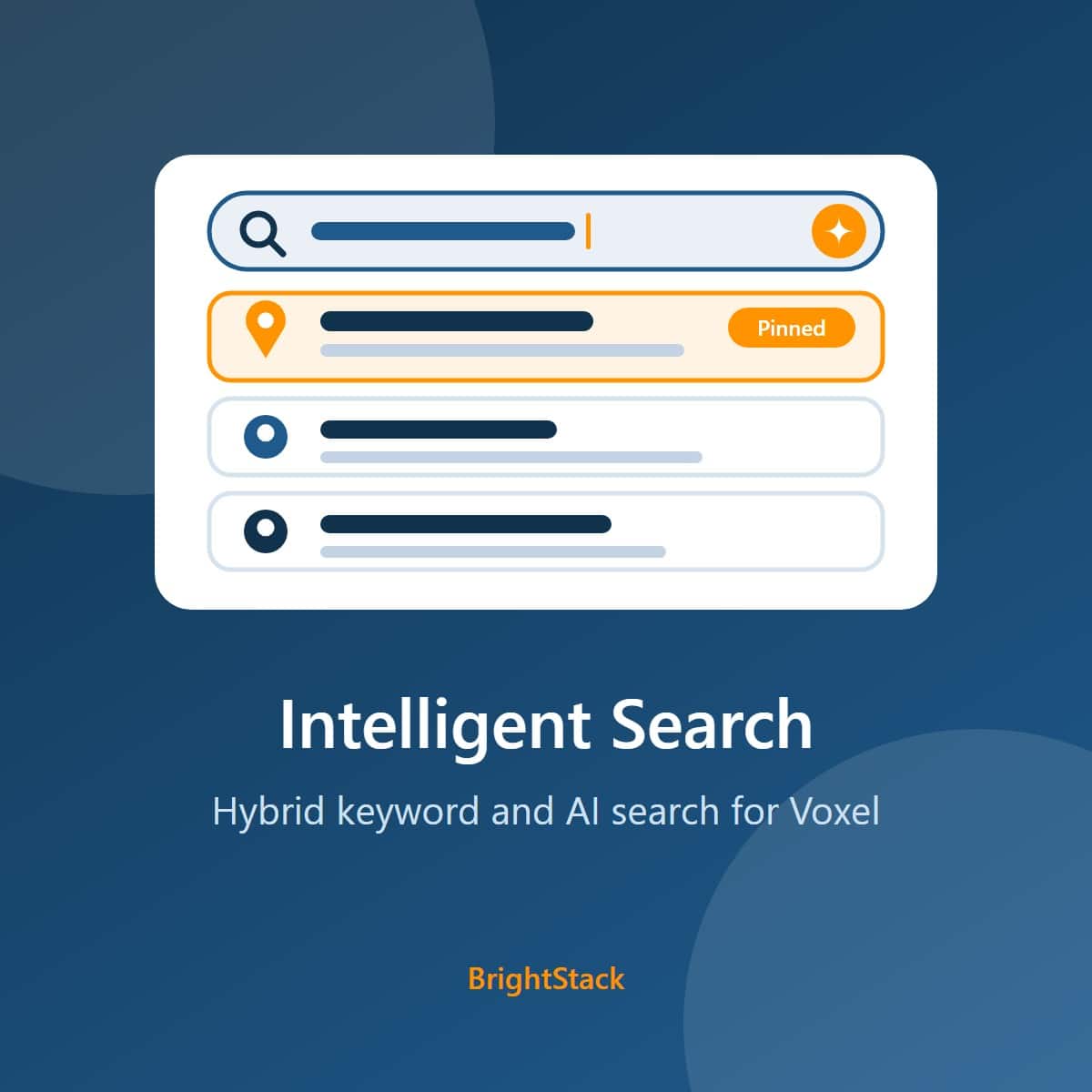
Intelligent Search copies the Voxel listing types and taxonomies you choose into your own Typesense search server and answers visitors with a blend of keyword and meaning-based results. It forgives typos, can rank by distance from the visitor, lifts verified and priority listings, and lets you pin or hide results for any search.
One site, yearly. Needs a Typesense server you provide. Includes updates and support.
The problem
Visitors rarely type the exact words your listings use
A directory search box is only useful when people find what they came for on the first try.
Different words for the same thing
A visitor types the idea they have in mind. The listing that fits may describe it in other words, so an exact keyword match misses it.
Typos and half-typed words
People search on phones, in a hurry. A misspelled business name should still find the business.
Nearby matters
On a local directory, the closest good match is often the right answer. Ranking by distance needs the visitor's location, with their permission.
No say over the results
When a search keeps surfacing the wrong listing, or should always show a particular one first, you need a way to set that by hand.
How it works
Three steps from your listings to a working search box
You set it up in the WordPress admin and place the widgets with Elementor.
Connect Typesense
Enter your Typesense server address and Admin API key, then click Test Typesense Connection. Pick an embedding model: one of Typesense's built-in models, or an OpenAI model if you add your own OpenAI key.
Choose and sync content
Tick the post types and taxonomies you want searchable, then click Sync All Content to Typesense. After that, saving, trashing or restoring a listing queues it to be updated in the index.
Place the widgets
Add the AI Intelligent Search widget to a page or header and the Intelligent Search Results widget to your results page. The Location Display widget is optional.
What you get
What Intelligent Search adds to a Voxel site
Voxel's own search forms and Quick Search keep working as they are. Intelligent Search is a separate search box and results page you place where you want them. Details are on the Features tab.
Typesense scores each result on the words matched and on how close its meaning is to the search, then blends the two. The blend is a setting you can adjust.
Up to 2 typos per word by default, with minimum word lengths before a typo is allowed. Every value can be changed.
With the visitor's permission, results can be filtered and ranked by distance, up to a maximum you set (50 km by default). Location search is off until you switch it on.
Listings Voxel marks as verified, and listings with a higher Voxel priority value, can rank higher. Both boosts are on by default with adjustable strength.
For any search phrase, choose items to show at the top and items to hide. The rules are stored on your Typesense server as curations.
Searches are logged in your own database, with visitor IP addresses hashed by default. Recent and Popular Searches widgets appear on the WordPress dashboard, and the log feeds the trending searches in the search box.
Who it is for
Built for people who run directories on Voxel
Directory owners
Give visitors a search box that copes with loose wording and typos.
Local guides
Rank results by how close they are to the visitor, when the visitor allows it.
Advertising sales
Lift verified and priority listings, and pin a listing to the top of a chosen search.
Agencies
Run search on a Typesense server you or your client control, configured from the WordPress admin.
What leaves your site
Your server, your accounts, and a clear list of what is sent
Search runs on a Typesense server that you provide and pay for. This is exactly what goes where.
Your Typesense server
The post types, taxonomies and fields you choose under Content Settings, so they can be searched. The text visitors type into the search box. When location search is on, the visitor's coordinates, to filter and sort by distance.
OpenAI, only if you choose it
If you pick an OpenAI embedding model, your OpenAI key is placed in the collection settings on your Typesense server, and your Typesense server sends indexed content to OpenAI to create embeddings. With a Typesense built-in model, nothing goes to OpenAI.
OpenStreetMap Nominatim
To show a place name, the visitor's browser sends their coordinates to OpenStreetMap's Nominatim service. This happens only after the visitor shares a location.
Public CDNs
The search widget loads Font Awesome from cdnjs.cloudflare.com, and the dashboard widgets load Chart.js from cdn.jsdelivr.net. A developer can switch each off with the vis_load_font_awesome and vis_load_chartjs filters.
BrightAdvice
For update checks and license checks, your site address and your license key if you saved one. The key goes in the request body, never in the address. The BrightStack dashboard page also asks for the current suite version list, which sends no site data. No visitor data is sent to BrightAdvice.
Stored in the visitor's browser
Recent searches stay in the visitor's own browser. A shared location is saved in the browser's local storage, which has no expiry date, and in a cookie named vis_location_data that expires after 7 days. Saved coordinates older than 24 hours are discarded when the visitor returns. Turning location off clears both copies.
included.
An active license gives you updates through the normal WordPress Plugins screen and support by email. If you choose not to renew, the plugin keeps working as it is, but updates and support are no longer available. You can renew at any time. The license check only decides whether new versions are offered to your site.
Give your directory a smarter search box
$79 a year for one site, with updates and support for the year. You also need a Typesense server.
Features
Every feature, grouped by the job it does
Index
Copy the content you choose into your Typesense server, and keep it current.
You choose what is searchable
Tick the post types and taxonomies to include on the Content Settings screen, and pick which extra fields go into the index. Each type gets its own Typesense collection.
Resumable full sync
Sync All Content to Typesense builds the index from scratch. Only one sync runs per site. If the page closes before it finishes, come back to the screen and click Resume sync; a lost connection is retried 5 times before the sync pauses, and a paused sync can be resumed or discarded.
Only this site's collections
The plugin writes to and cleans up only collections this site created on your Typesense server, or ones you confirm in the Sync All preview. An existing collection is never touched until you tick it, and optional cleanup never deletes a collection whose curations could not be backed up first.
Public content only
Deleted, unpublished, private and password-protected content has its copy removed from the index, and content that becomes public again is uploaded. Every result is checked against this site before it is shown.
Updates on save
Saving, trashing, restoring or deleting a listing queues it to be updated or removed in the index. Created and edited terms are queued too.
Embedding models
Semantic search is on by default with Typesense's built-in all-MiniLM-L12-v2 model. The list includes other Typesense built-in models, multilingual ones among them, and three OpenAI models that need your OpenAI key.
Search
Return useful results for loose wording, typos and nearby places.
Hybrid ranking
Results are scored on keyword match and on meaning, then blended. Titles carry the most weight among the text fields. The keyword and meaning balance is adjustable.
Typo settings
Up to 2 typos per word by default. A word needs 4 letters before one typo is allowed and 7 before two. All of these, plus exact-match priority, are settings.
Geo search
When location search is on and the visitor shares a location, results are filtered to a radius and ranked by distance. The maximum distance is 50 km by default.
Verified and priority boosts
Reads Voxel's verified status and priority value for each listing. Verified boost weight runs from 0 to 5 (1 by default) and the priority factor from 0 to 1 (0.1 by default). Either boost can be switched off.
Abuse limit on public search
Public search and autocomplete requests are capped at 30 per 60 seconds from one visitor address by default, so a script cannot run up your Typesense or embedding costs. A developer can change the limit with filters.
On your pages
Three Elementor widgets for the search box, the results and the visitor's location.
AI Intelligent Search
The search box. Autocomplete as visitors type, trending searches drawn from your search log (last 7 days, up to 5 by default, and only queries searched at least twice), and the visitor's recent searches. Labels, placeholder and the trending icon are editable. On mobile it opens a full-screen search.
Intelligent Search Results
The results block for your search results page, with its own styling controls in Elementor.
Location Display
Shows the visitor's place name once they share a location. The name comes from OpenStreetMap's Nominatim service.
Location on request
The browser asks the visitor first. Location is requested only when the visitor turns it on, or when you set the widget to detect it automatically.
Curate and measure
Steer specific searches and see what visitors look for.
Curations
For a search phrase, matched exactly or when the search contains it, list items to show at the top and items to hide. Curations are saved on your Typesense server. A setting limits how much of a results list curated items may take (30% by default).
Search log
On by default and switchable. Each entry holds the search text, the matched item, the search type, a relevance score, the result link, the time, and the user ID for logged-in visitors.
Hashed IP addresses
The log stores a one-way hash of the visitor's address made with your site's secret salt, not the address itself. Entries older than 90 days are deleted once a day. Developers can change both with filters.
Dashboard widgets
Recent Searches and Popular Searches widgets on the WordPress dashboard, plus a Logs screen in the plugin.
License and upkeep
Updates arrive the normal WordPress way, and your data stays when you want it to.
Updates on the Plugins screen
With a license key, new versions appear on WordPress's normal Updates screen, with the auto-update switch. Each download is checked before it installs: it must contain this plugin at exactly the advertised version, or nothing changes.
Updates and support with your license
An active license gives you updates through the normal WordPress Plugins screen and support by email. Without one, the plugin keeps working as it is, still tells you an update exists, but cannot download it. A notice on the plugin's own screens can be hidden for 30 days.
Keys kept out of the page
Saved Typesense and OpenAI keys are never shown again. The key field shows a placeholder, and leaving it untouched keeps the saved key.
Data kept on uninstall by default
Deleting the plugin keeps its settings, curations list and search log, so a reinstall picks up where you left off. To remove them, tick the delete box at the bottom of the settings screen first. Either way, the collections on your Typesense server are not deleted: remove them there if you no longer need them.
Ready to upgrade your search
Check the requirements, then buy a license.
Requirements and pricing
What it costs, and what you need to run it
License
Plugin pricing
Prices are in US dollars through the BrightAdvice store.
- Every feature, on one site
- A year of updates on WordPress's normal Updates screen
- A year of email support
New versions for the length of your license, delivered through WordPress's normal Updates screen.
The plugin keeps working as it is, but updates and support are no longer available. You can renew at any time.
Email help@brightadvice.com with questions or bug reports while your license is active.
Refunds
Works on your site, or your money back
Intelligent Search is a digital download, so we do not refund a change of mind, and renewals are not refundable. If the plugin does not work on your Voxel site within 14 days of purchase, tell us and give us access to a staging copy of the site: WordPress admin, and SSH access if you can. We will try to fix the problem. If we cannot make it work, we refund you in full to your original payment method and deactivate the license.
We only ever work on a staging copy, never on your live site, so nothing we test can affect your visitors or your data.
Voxel can be customized in almost unlimited ways, so we cannot promise to support every configuration. If yours is one we cannot support, that is exactly when you get your money back.
Requirements
What your site needs
Keep WordPress, PHP and Voxel up to date. WordPress will not activate the plugin below the WordPress and PHP versions listed here.
| Item | Needed | Detail |
|---|---|---|
| WordPress | Required | Version 7.1 or newer. Tested with 7.1.2. |
| PHP | Required | Version 8.2 or newer. |
| Voxel theme | Required | The plugin searches Voxel post types, so the Voxel theme must be active. It works on top of a Voxel directory; it is not a standalone plugin. The verified and priority boosts read Voxel's own values. |
| Elementor | Required | The search box, results and location display are Elementor widgets. The plugin has no shortcode, so Elementor is how you place search on a page. |
| Typesense server | Required | Self-hosted or Typesense Cloud, which you set up and pay for. You need its address and an Admin API key. Sign up for Typesense Cloud and create a cluster (the cluster page shows its address and lets you generate the keys), or follow the Typesense install guide to run your own server. Typesense explains the difference between the Admin key and a search-only key in its API keys guide. Use a cluster, or an API key, that only this site uses: collections carry no site prefix, so a server shared with another site can mix results. |
| OpenAI API key | Optional | Needed only if you choose an OpenAI embedding model. Typesense's built-in models need no key. Billed to you by OpenAI. Create a key on the OpenAI API keys page. |
| HTTPS | For location search | Browsers share a visitor's location only over HTTPS and with the visitor's permission. |
| License | For your information | Licensed GPL v2 or later. |
Running costs
What the connected services charge you
The plugin adds no charge per search. Running costs come from the services you connect, which bill you directly at their own rates. Their pricing pages have the current figures.
| Service | How it bills | Current prices |
|---|---|---|
| Typesense Cloud or your own server | Typesense Cloud charges for the cluster you run. A self-hosted server costs whatever your hosting costs. | Typesense Cloud pricing |
| OpenAI optional | By usage, for embeddings created with your key when you choose an OpenAI model. | OpenAI API pricing |
Get Intelligent Search
Buy a license, then upload the plugin ZIP file in Plugins, Add New Plugin in your WordPress admin.
FAQ
Questions buyers ask before they start
Does it replace Voxel's search forms?
No. Voxel's own search forms, filters and Quick Search keep working as they are. Intelligent Search adds a separate search box and results page that you place with Elementor, backed by your Typesense server.
Why do I need Typesense?
Typesense is the search engine that stores the index, runs the keyword and meaning-based search, and handles typos, distance and curations. The plugin connects your Voxel content to it. You can run Typesense on your own server or use Typesense Cloud; either way you set it up and pay for it.
To start, sign up for Typesense Cloud or follow the Typesense install guide for your own server.
Do I need an OpenAI key?
No. Semantic search starts with one of Typesense's built-in models, which runs on your Typesense server and needs no key. An OpenAI key is needed only if you choose one of the OpenAI embedding models. In that case your key is stored in the collection settings on your Typesense server, which uses it to send indexed content to OpenAI. Keys are created on the OpenAI API keys page.
What happens to visitor location?
Nothing until the visitor agrees. The browser asks first, and location search must also be switched on in the plugin.
Once shared, the coordinates are saved in two places in the visitor's own browser: local storage, which has no expiry date, and a cookie named vis_location_data that the browser deletes after 7 days. The plugin discards coordinates older than 24 hours the next time the visitor opens a page on your site; it cannot reach a browser that never comes back, so that copy stays until the visitor clears their browser data. Turning location off in the search box deletes the local storage copy at once and the cookie on the next page view.
The coordinates are sent with the search to your site and on to your Typesense server to filter and sort by distance, and they are not written to the search log. To show a place name, the browser sends them to OpenStreetMap's Nominatim service.
What does the search log store?
The search text, the matched item, the search type, a relevance score, the result link, the time, and the user ID for logged-in visitors. IP addresses are stored as a one-way salted hash by default. Entries older than 90 days are deleted daily. You can switch logging off under Advanced & Debug, Enable Logging.
Does it load anything from outside my site?
The search widget loads Font Awesome from cdnjs.cloudflare.com, and the dashboard widgets load Chart.js from cdn.jsdelivr.net. A developer can stop either request with the vis_load_font_awesome and vis_load_chartjs filters, for example when the theme already provides Font Awesome. The location display uses OpenStreetMap's Nominatim, as described above.
Can someone run up my Typesense bill?
Public search and autocomplete requests are capped at 30 per 60 seconds from one visitor address by default. A developer can change the limit with the vis_rate_limit_max and vis_rate_limit_window filters.
Can several sites share one Typesense server?
Use one cluster per site, or an API key that only this site uses. Collections carry no site prefix, so on a shared server public search can read another site's collection with the same name, and its documents and curations can affect result order, scores and counts. Titles, links and text always come from your own site. Adopt a collection in the Sync All preview only if this site created it, because adopting it lets this site delete it.
Do trending searches show what other visitors typed?
Yes. Trending shows other visitors' queries from the last 7 days, once a query has been searched at least twice. If visitors may type names, addresses or phone numbers into your search box, switch Trending off.
What if the page closes during Sync All?
Nothing is lost. Come back to the screen and click Resume sync. Only one sync runs per site at a time, a lost connection is retried 5 times before the sync pauses, and a paused sync can be resumed or discarded.
Does a staging copy use one of my sites?
Staging copies on staging hosts the BrightAdvice store recognizes do not use one of your license's sites. If yours still does, email help@brightadvice.com.
What happens if I don't renew?
An active license gives you updates and support. If you choose not to renew, the plugin keeps working as it is, but updates and support are no longer available. You can renew at any time.
Can I change or move the code?
Yes. The plugin is licensed under the GPL, version 2 or later, so you can read and change the code. A license key covers updates and support for the sites in your plan.
What happens to my data if I delete the plugin?
By default it is kept, so a reinstall picks up where you left off. To remove the plugin's settings, search log and license key, tick "Delete all plugin data on this site when the plugin is deleted" at the bottom of the settings screen before deleting. That cannot be undone. Scheduled tasks are always cleared. The collections on your Typesense server are never deleted by the plugin; delete them there if you no longer need them. Your listings are never touched.
What about refunds and support?
If the plugin does not work on your Voxel site within 14 days of purchase, we try to fix it on a staging copy you give us access to, and refund you in full if we cannot. We do not refund a change of mind, and renewals are not refundable. The full policy is on the Requirements and pricing tab.
For help or bug reports, email help@brightadvice.com.
See where it came from
Read the plugin's history and what changed in each release.
WordPress · Voxel directories · release history and audits
BrightStack Intelligent Search
BrightStack Intelligent Search was called BrightAdvice Intelligent Search until version 3.3.2. Only the name changed. Rebuilt from Voxel Intelligent Search, a commercial plugin whose vendor stopped maintaining it. Under the same audit rules, the original scores 68 out of 100 and the first BrightAdvice sales release, 3.2.0, scores 96. The current release is 3.3.4.
Where it started
From the original plugin to today's version
Rebuilt from Voxel Intelligent Search (the copy used is labeled 1.0.7), a commercial plugin whose vendor stopped maintaining it. BrightAdvice renamed it, hardened it and now maintains it, and it is licensed GPL v2 or later like the original. Both versions were audited under the same rules.
- No longer maintained by its vendor, no updates
- A license system that called the old vendor's server, including for update packages
- Public diagnostics, unsafe autocomplete output and password-protected content in the index
- A cleanup that could delete unrelated collections on the search server
- Raw visitor IP addresses in the search log, with no retention limit
- Old license system and vendor calls removed
- Updates from the BrightAdvice store, each package checked before it installs
- Only public content indexed, and every result checked against this site
- Writes and cleanup limited to collections this site created or you adopt
- Hashed IP addresses, 90-day log retention and a rate limit on public search
Independently audited
How it has been audited
An independent code auditor scores each build with the same fixed rules (rubric v1.0): eight categories, fixed deductions for each problem found, and a cap on the overall score while any serious problem stays open. Scored across the whole plugin, the original scores 68: it had four high-severity problems, including public diagnostics, unsafe autocomplete output, password-protected content being indexed, and a cleanup that could delete unrelated search collections. Their paths are repaired or removed. The first sales release, 3.2.0, scores 96 under the same rules.
Later releases were audited as reviews of what changed, together with the code connected to it. The review of 3.2.12 held it at 89 for one medium finding about confirming curation saves; 3.2.14 fixed it. The review of 3.2.14 scored 96 with no serious or medium finding and two minor ones, and 3.2.16 is the release that addresses those two. 3.2.16 itself has not been audited separately. Before release it passed 69 checks on a staging WordPress site; it was not tested against a real Typesense server or in a browser for this release. 3.3.0 changes only the version number, to join the suite's 3.3.x line, and has not been audited separately.
What was built
Release history
Newest first, taken from the plugin's changelog. Versions now follow the suite: 3.3.x across all four plugins.
Plugin icon on the Updates screen
- The plugin now shows its icon on the Plugins and Updates screens and in the View details popup. Before, WordPress showed its gray placeholder.
Renamed to BrightStack Intelligent Search
- BrightAdvice Intelligent Search is now BrightStack Intelligent Search, published by BrightAdvice. Only the name shown on screen changed.
- The plugin folder, settings, license keys and update address are unchanged, so the update installs over the old copy.
- The shared admin menu is now called BrightStack. It shows that name once every BrightStack plugin on the site is updated.
Suite versioning
- Suite versioning: Places Importer, Intelligent Search, Lead Analytics and Social Insights now share the 3.3.x version line, so matching first numbers show the plugins were released together. This release changes no behavior.
Re-sync notice and Retry fixes
- Dismissing the re-sync notice can no longer hide a newer re-sync requirement saved at the same moment.
- A successful Retry no longer replaces the controls of a sync that is already running.
- These are the two minor findings from the audit of 3.2.14.
Stricter checks before anything is changed
- 3.2.10: the search server's answers are checked strictly before the plugin acts, so a malformed reply can never be read as "nothing there" and lead cleanup to delete a collection. Saving a curation confirms the new rule before removing the older one, and Sync All reserves the sync before it deletes or adopts anything.
- 3.2.12: canceling a Sync All while it prepares can no longer let a second sync start, and a curation save that could not be confirmed says, per collection, whether the previous curation may have changed.
- 3.2.14: a curation save is confirmed only when the stored rule matches exactly what was saved; re-sync requirements are read from the database, not a stale cache; and a failed first status read of Sync All shows an error with a Retry button.
Large hardening round
- This entry also covers 3.2.2 to 3.2.6, which had no separate changelog entries.
- Sync All is resumable after the page closes, only one sync runs per site, and a lost connection is retried 5 times before the sync pauses.
- The public search rate limit can no longer be bypassed with parallel requests, and only administrators see the search dashboard widgets.
- Test Connection says when the address points at a web page or proxy, and when it can reach the server but cannot list its collections.
- Curation saves report which collections did and did not save; the form no longer asks for a Curation ID, and each search query has one curation.
- The re-sync notice stays until a full sync finishes without errors. Search logs save hashed visitor addresses and search types correctly, and show which listing each search matched.
- A notice warns when public search reads a collection this site has not created or adopted, and unused code was removed.
First sales release
- Identical in behavior to 3.1.40; only the version number changed, so Intelligent Search shares the 3.2 version line with BrightStack Places Importer.
Audit rounds on indexing and ownership
- Collection ownership is tied to your Typesense server and this site's address, and the automatic adoption of look-alike collections was removed. Search queries only the collections of the types you enabled, and every result must match a post or term on this site that visitors may see.
- Uploads go only into this site's own collections. Removals from the search server are marked done only when the server confirms them, and each removal goes to the server that holds the copy.
- The save and delete queue keeps every change, in order, even when two requests overlap, and a removal for a post's previous type no longer cancels the upload for its current type.
- 3.1.40 fixed 16 low-severity findings from an independent review: no PHP warning during search, per-type result templates that apply, Trending only after 2 identical searches, and debug details shown only to administrators with Debug Mode on.
First BrightAdvice release
- The version moved from 1.1.18 to 3.1.24 to join the BrightStack suite's version line; the 3.1.26 changelog entry covers both. Requires WordPress 7.1 and PHP 8.2.
- New License tab. A license key turns on updates and support; if you choose not to renew, the plugin keeps working as it is. Updates come from the BrightAdvice store on the normal Plugins screen, with the auto-update switch, and each download must contain this plugin at exactly the advertised version.
- Sync All's cleanup deletes only collections this plugin created, and is off by default behind a preview. Password-protected posts are no longer indexed.
- Fixed fatal errors on the Posts screen and the Voxel search template, a masked OpenAI key that could be saved over the real one, and Template Settings forms that cleared each other.
- Deleting the plugin keeps data by default, with an opt-in box to remove everything. Typesense collections are never deleted by the plugin.
- Brand buttons, checklist pickers and 14px minimum text on the plugin screens; Getting Started and Privacy docs rewritten to match the code.
Fork baseline work
- The 1.x versions were the fork baseline work: removing the old license system, closing security and privacy gaps, and moving the plugin under the BrightStack admin menu.
- 1.1.18: optional PHP text extensions no longer cause fatal errors on hosts built without them.