Four WordPress plugins for Voxel directory sites
Everything BrightAdvice makes for Voxel, in one bundle.
The BrightStack Suite, formerly the BrightAdvice Suite, bundles Places Importer, Intelligent Search, Lead Analytics and Social Insights: fill your directory with real businesses, help visitors find them, show advertisers the leads they get, and track their social reach. Four plugins rebuilt and maintained by BrightAdvice, with documentation and ongoing updates.
$216 a year if bought separately. One license key per plugin, each for one site, on one yearly subscription. Includes updates and support.
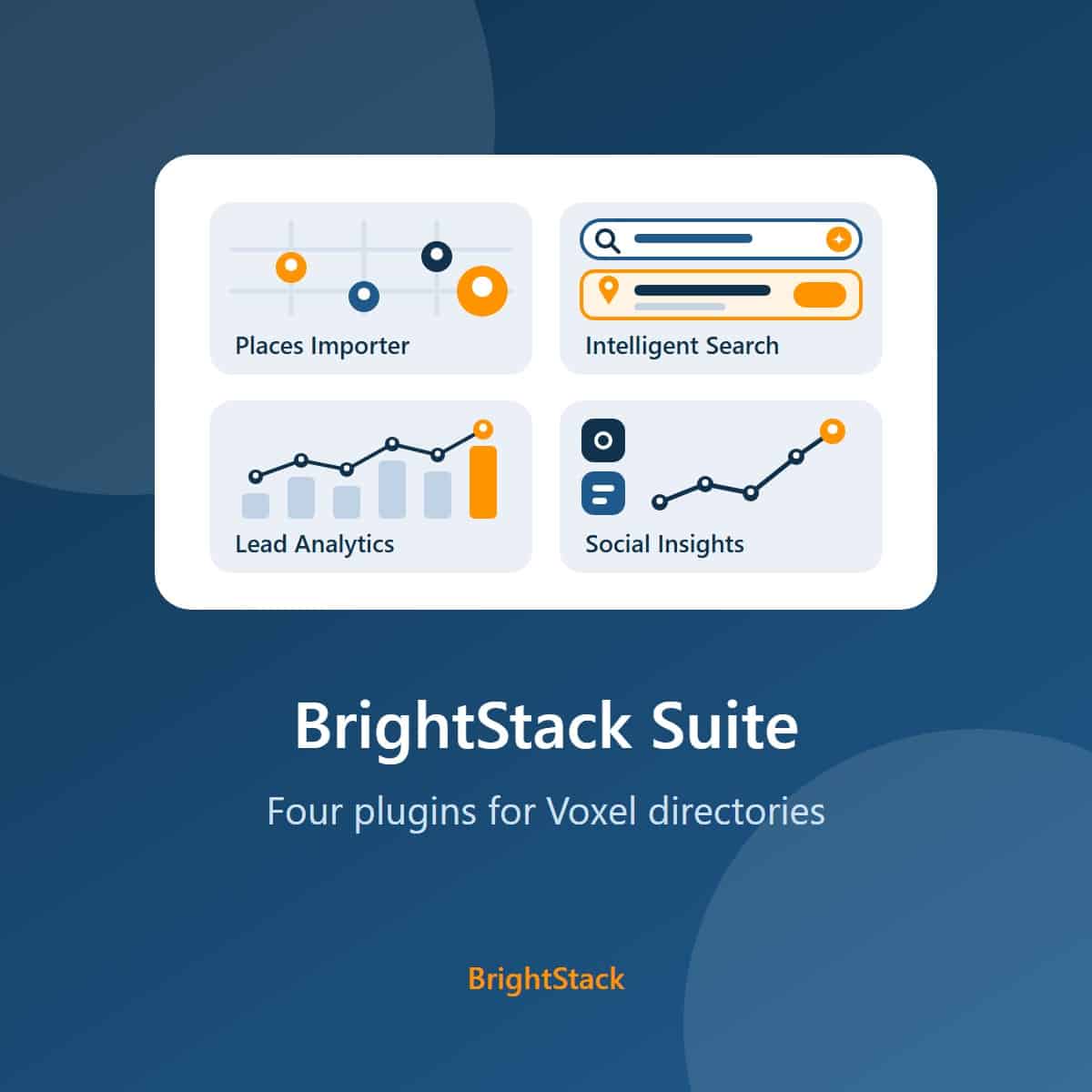
The four plugins
One plugin for each job a directory has to do
Each plugin works on its own, and each has its own page with every feature listed. Together they cover building, searching, selling and reporting on a Voxel directory.
Places Importer 3.3.0
Find businesses with Google and import full business records from Outscraper into your own Voxel post types, with AI-written descriptions if you want them. Duplicate protection, a background queue, Merge Duplicates, a review screen and protection for claimed listings keep the directory clean.
Intelligent Search 3.3.0
Hybrid keyword and AI semantic search on a Typesense server you provide, so visitors find the right listing even when they do not type its exact name. Autocomplete, trending searches, location-aware ranking, curated results and search analytics are included.
Lead Analytics 3.3.0
Counts clicks on phone, WhatsApp, website and other tagged buttons, once per visitor per hour. Each listing owner sees their own lead stats in an Elementor widget, with no third-party account needed.
Social Insights 3.3.0
Collects public Instagram and Facebook Page figures for your listings through Apify and keeps the history. It can also write plain-language insights with OpenAI, inside monthly spending caps you set.
Why a suite
The whole directory workflow, from one maker
The four plugins share one store, one license system, one update path and one support address.
Build the directory
Places Importer fills your Voxel listing types with real businesses, with their hours, photos, contacts and social links.
Help visitors find it
Intelligent Search matches what visitors mean, not only the words they type, and can rank nearby listings higher when a visitor shares their location.
Prove its value
Lead Analytics shows advertisers the calls, WhatsApp messages and website visits their listing sends, and Social Insights tracks their Instagram and Facebook reach.
One yearly license.
An active license gives you updates through the normal WordPress Plugins screen and support by email, for all four plugins on one yearly subscription. A BrightStack dashboard inside WordPress shows the latest version of each plugin. If you choose not to renew, the plugins keep working as they are, but updates and support are no longer available. You can renew at any time.
Get all four plugins for $149 a year
That is $67 less than buying Places Importer, Intelligent Search, Lead Analytics and Social Insights separately.
What is included
Four plugins, each at its current version
Places Importer
Version 3.3.0. Build the directory from real business data.
Google search, Outscraper records
Find businesses with Google, then import each full business record from Outscraper (hours, photos, contacts and social links) into your own Voxel post types.
Optional AI writing
Write descriptions with the AI provider you choose: OpenAI, Claude, Gemini or Perplexity. Without a key, the business data still imports.
Keeps the directory clean
Duplicate protection, a background queue, Merge Duplicates and a review screen. Listings their owners have claimed stay protected.
Every feature
The full list is on the Places Importer features page.
Intelligent Search
Version 3.3.0. Help visitors find the right listing.
Hybrid search
Keyword and AI semantic search together, on a Typesense server you provide and control.
Autocomplete and trending searches
Instant suggestions as visitors type, and the searches other visitors run most.
Location-aware ranking and curated results
With location search switched on (it is off by default), nearby listings rank higher when a visitor shares their location over HTTPS. You can also promote or exclude results for chosen searches.
Every feature
The full list is on the Intelligent Search features page.
Lead Analytics
Version 3.3.0. Show advertisers the leads their listing sends.
Click tracking
Counts clicks on phone, WhatsApp, website and other tagged buttons, once per visitor per hour.
Stats for listing owners
Each owner sees their own lead stats in an Elementor widget, and only their own.
No outside account
Clicks are recorded in your own WordPress database, with visitor addresses stored as a keyed hash.
Every feature
The full list is on the Lead Analytics features page.
Social Insights
Version 3.3.0. Track your listings' social reach over time.
Public social figures
Collects public Instagram and Facebook Page figures for your listings through your own Apify account, and keeps the history.
Optional AI insights
Plain-language insights written with your own OpenAI key, inside monthly spending caps you set.
Every feature
The full list is on the Social Insights features page.
What the Suite is not
So you know exactly what you are buying.
Quick Search is not included
Quick Search is not part of the Suite. Voxel now has its own quick search.
Not a multi-site license
Each plugin in the Suite gets its own license key for one site. For several sites, buy one Suite per site.
Not standalone plugins
All four work on top of a Voxel directory. None of them works on another theme.
Outside services are billed separately
Outscraper, Google, Typesense, Apify and the AI providers bill you directly at their own rates. The Suite price covers the plugins only.
All four plugins, one yearly price
Check what each plugin needs, then buy the Suite.
Requirements and pricing
What it costs, and what you need to run it
License
Suite pricing
Prices are in US dollars through the BrightAdvice store.
- Places Importer, Intelligent Search, Lead Analytics and Social Insights
- One license key per plugin, each for one site
- One yearly subscription renews all four
- Updates on WordPress's normal Updates screen, and support by email
- Places Importer, 1 site: $79
- Intelligent Search: $79
- Lead Analytics: $29
- Social Insights: $29
New versions of all four plugins for the length of your license, delivered through WordPress's normal Updates screen, plus support.
The plugins keep working as they are, but updates and support are no longer available. You can renew at any time.
Email help@brightadvice.com with questions or bug reports while your license is active.
Already own Places Importer?
Add the other three plugins for $70 more
If you own Places Importer on the 1-site yearly plan, you can upgrade to the Suite at any time from your BrightAdvice account. The upgrade costs a flat $70 and adds Intelligent Search, Lead Analytics and Social Insights.
Refunds
Works on your site, or your money back
The Suite is a digital download, so we do not refund a change of mind, and renewals are not refundable. If the Suite does not work on your Voxel site within 14 days of purchase, tell us and give us access to a staging copy of the site: WordPress admin, and SSH access if you can. We will try to fix the problem. If we cannot make it work, we refund you in full to your original payment method and deactivate the licenses.
We only ever work on a staging copy, never on your live site, so nothing we test can affect your visitors or your data.
Voxel can be customized in almost unlimited ways, so we cannot promise to support every configuration. If yours is one we cannot support, that is exactly when you get your money back.
Requirements
What your site needs
We test on current versions, so keep WordPress, PHP and Voxel up to date. Each plugin's own page has its full requirements.
| Item | Needed | Detail |
|---|---|---|
| WordPress | Required | Version 7.1 or newer, for all four plugins. Tested on 7.1.2. |
| PHP | Required | Version 8.2 or newer, for all four plugins. |
| Voxel theme | Required | All four plugins work on top of a Voxel directory. None is a standalone plugin. |
| Elementor | Required for some features | Intelligent Search places its search box and results with Elementor widgets. The Lead Analytics stats widget and the Social Insights front-end widgets are Elementor widgets too. Voxel uses Elementor, so a Voxel site already has it. |
| Database | Required | MySQL 8.0 recommended. Places Importer's Skip Preview and Retry photos need InnoDB tables (the standard MySQL and MariaDB table type), which almost every current host uses. |
| Server cron job | Optional, strongly recommended | The Places Importer queue and the Social Insights fetches run on WordPress Cron, which only fires when someone visits your site. A server cron job keeps them on schedule on a quiet site. |
| License | For your information | Licensed GPL v2 or later. |
What you need to provide
Outside services, by plugin
Some plugins use outside services that bill you directly at their own rates. The Suite price does not include them.
| Plugin | Required | Optional |
|---|---|---|
| Places Importer | An Outscraper account and API key, and a Google Cloud project with billing and two Google keys. Create an Outscraper account (an affiliate link: we may earn a commission at no extra cost to you), copy the key from your API Key page, and follow the five Google steps on the Places Importer page. | An AI provider key for AI writing: OpenAI, Anthropic, Google Gemini or Perplexity. |
| Intelligent Search | A Typesense server, self-hosted (install guide) or Typesense Cloud, with its address and an Admin API key. | An OpenAI key, only if you choose an OpenAI embedding model. |
| Lead Analytics | Nothing beyond the plugin. | Nothing. |
| Social Insights | An Apify account and its API token. | An OpenAI key, for the written AI insights. |
Licenses and staging
How the licenses work
Each plugin in the Suite gets its own license key for one site, all on one yearly subscription. An active license gives you updates and support. If you choose not to renew, the plugins keep working as they are, but updates and support are no longer available.
Staging and development copies do not count against your license's sites. This is handled by the BrightAdvice store, which recognizes them automatically when:
- the address uses a staging-style subdomain: staging, stage, dev, development, test, qa, sandbox, beta, preview or uat (for example staging.yoursite.com);
- the site sits in a folder with one of those names (for example yoursite.com/staging/);
- the site is local: localhost, or an address ending in .test or .local;
- the site is on a host's staging address: WP Engine, Kinsta, SiteGround, Cloudways, Flywheel, Pantheon, DreamHost, Pressable, WPMU DEV, Liquid Web, RunCloud, xCloud or Rocket.net.
If your staging copy still uses up a site, email help@brightadvice.com and we will add your host.
Get the BrightStack Suite
Buy the Suite, then upload each plugin ZIP file in Plugins, Add New Plugin in your WordPress admin.
FAQ
Questions buyers ask about the Suite
Why buy the Suite instead of single plugins?
Price, and one renewal. The four plugins cost $216 a year when bought separately; the Suite costs $149 a year, which saves $67, and one yearly subscription renews all four. If your directory imports businesses, offers search and sells listings to advertisers, you will use all four.
Can I still buy the plugins separately?
Yes. Each plugin is sold on its own: Places Importer from $79 a year, Intelligent Search $79, Lead Analytics $29 and Social Insights $29. Places Importer also has 5-site, unlimited-site and lifetime licenses, which the Suite does not replace. See all BrightStack plugins.
What if I only need one plugin?
Buy that plugin on its own. Lead Analytics and Social Insights cost $29 a year each, so the Suite only makes sense if you need Places Importer or Intelligent Search plus at least one other plugin.
I already own Places Importer. How does the $70 upgrade work?
If you own Places Importer on the 1-site yearly plan, you can upgrade to the Suite at any time from your BrightAdvice account. The upgrade costs a flat $70 and adds Intelligent Search, Lead Analytics and Social Insights.
What happens to my Places Importer when I upgrade?
Nothing on your site stops working while you upgrade, and Places Importer keeps running throughout. Your BrightAdvice account lists the license keys for your plan, and each key activates one site.
How many sites does the Suite cover?
One. Each plugin in the Suite gets its own license key, and each key activates one site. Staging and development copies on recognized staging addresses do not use up a site; the list is on the Requirements and pricing tab.
Is Quick Search part of the Suite?
No. Quick Search is not part of the Suite. Voxel now has its own quick search.
Do I need outside accounts?
For three of the four plugins, yes. Places Importer needs Outscraper and a Google Cloud project with billing. Intelligent Search needs a Typesense server. Social Insights needs an Apify account. AI providers are optional. Lead Analytics needs nothing beyond the plugin. These services bill you directly; the full list is on the Requirements and pricing tab.
What happens if I don't renew?
An active license gives you updates and support. If you choose not to renew, all four plugins keep working as they are, but updates and support are no longer available. You can renew at any time.
What does the version number mean?
The first two numbers, 3.3, are the same across all four plugins, so you can see at a glance that they belong to the same release. The last number can differ when one plugin gets a fix on its own.
Can I change or move the code?
Yes. All four plugins are licensed under the GPL, version 2 or later, so you can read and change the code. Each license key covers updates and support for one site.
What about refunds and support?
If the Suite does not work on your Voxel site within 14 days of purchase, we try to fix it on a staging copy you give us access to, and refund you in full if we cannot. We do not refund a change of mind, and renewals are not refundable. The full policy is on the Requirements and pricing tab.
For help or bug reports, email help@brightadvice.com.
See the current version of each plugin
Every plugin in the Suite has its own release history.
Release history
The current release of each plugin
The Suite is a bundle, not a separate plugin. Each plugin keeps its own release history, and all four share the 3.3.x version line.
Current versions
What you get today
Newest release of each plugin, taken from its changelog. Follow the link for every version and the audit details.
The suite is now called BrightStack
- The BrightAdvice Suite is now the BrightStack Suite, and each plugin is named BrightStack: Places Importer 3.3.74, Intelligent Search 3.3.2, Lead Analytics 3.3.2 and Social Insights 3.3.2. BrightAdvice remains the publisher.
- Only the names shown on screen changed. Plugin folders, settings, license keys and update addresses are unchanged, so each update installs over the old copy.
- The shared admin menu is now called BrightStack. It shows that name once every BrightStack plugin on the site is updated.
Suite: all four plugins moved to the 3.3.x line together
- All four plugins moved to the 3.3.x line together. Places Importer, Intelligent Search, Lead Analytics and Social Insights now share the same first two version numbers, so you can see at a glance that they belong to the same release.
Places Importer: direct setup links and a Latest answers card
- Direct links to the Outscraper, Google Cloud and AI provider key pages in the setup wizard, documentation and Settings help; a Latest answers card on the Documentation FAQ tab; clearer database engine details in System Info; two rare Retry photos limits documented.
- Audit scores under the same rules: 69 for the original, 99 for the code released as 3.2.0, 95 for the review of the 3.3.0 changes.
- Places Importer release history
Intelligent Search: suite versioning, no change in behavior
- The last change in behavior was 3.2.16: re-sync notice and Retry fixes.
- Audit scores under the same rules: 68 for the original, 96 for 3.2.0, whole plugin.
- Intelligent Search release history
Lead Analytics: suite versioning, no change in behavior
- The last change in behavior was 3.2.10: trusted proxy ranges fixed.
- Audit scores under the same rules: 69 for the original 1.0.6, 98 for 3.2.10.
- Lead Analytics release history
Social Insights: suite versioning, no change in behavior
- The last change in behavior was 3.2.20: recovery messages say exactly what can be retried.
- Audit scores under the same rules: 69 for the original 1.0.4, 96 for 3.2.18.
- Social Insights release history